Product
- FootprintBid × ask on every level, delta, imbalances
- HeatmapResting liquidity through time, with memory
- CryptoBinance spot & perp, Bybit — same tools
- TradingDOM, OCO orders, account picker
- Chart demoThe crypto chart on a simulated market
- GEXDealer gamma, call and put walls
- VolatilityImplied volatility smile and skew
- Options flowPrints with the aggressor side when published
Learn
- Read a footprintThe starting point
- Order flowWhat the tape actually says
- Understand GEXGamma, walls, zero-gamma flip
- Options flowPremium, volume and classification
- Quant for beginnersFrom a hypothesis to an experiment
- All guidesSearch, paths, glossary, docs
GEX dashboard: where dealer hedging sits,
before you enter.
Strike-level gamma exposure, call and put walls, and the zero-gamma flip, the line between a market that gets pinned and one that runs. On the chain you load, with its source and time stamp, and carried onto your futures chart.
- Pages
- 13overview to dealer map
- Sources
- 6your key, or none for Deribit
- On your chart
- GEX levelsQQQ for NQ, Deribit for BTC and ETH
Windows · macOS and Linux in beta · market data billed by your provider
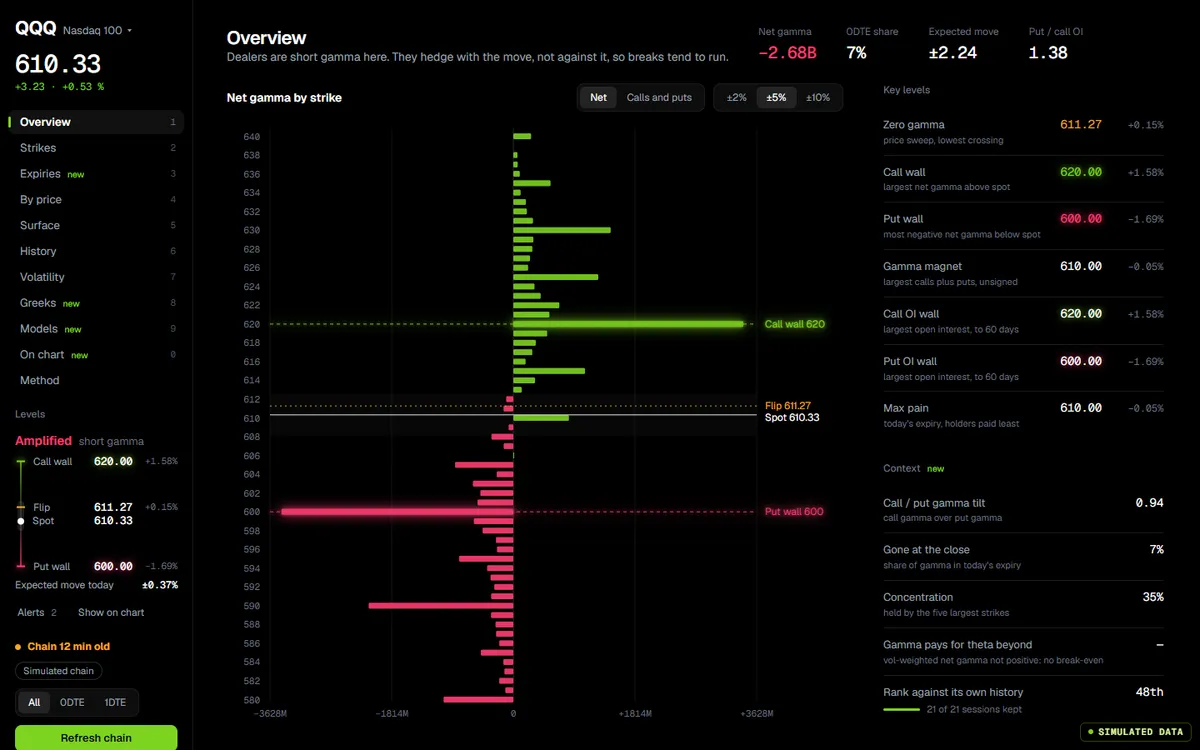
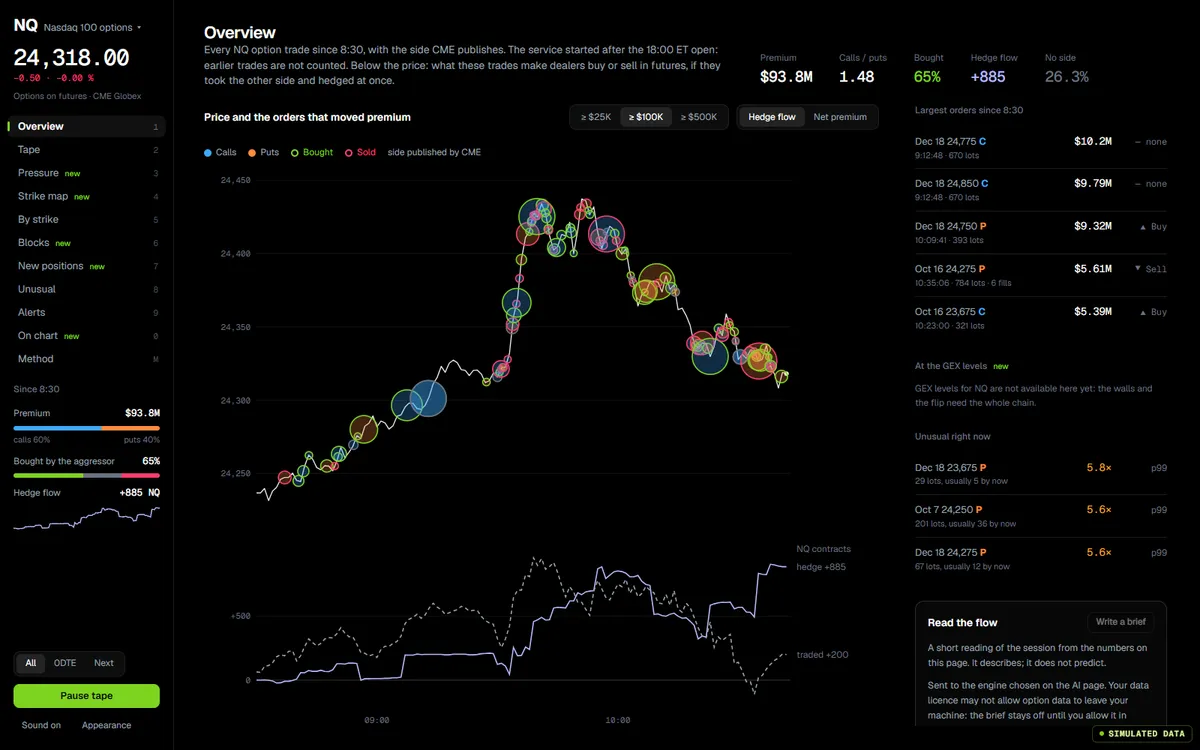
The app’s own code, compiled for the web and fed by a simulator. In the app, the same screen runs on your feed.
- 0.84GEX on the footprint and the heatmap, with alerts
- 0.83Dealer read panel and GEX radar on the chart
- 0.82BTC and ETH charts read Deribit options
Explore a chain
v0.88.1 of the app, on a simulated QQQ option chain.
The app’s GEX workspace, v0.88.1, on a generated option chain. Click the screen to use it; move the pointer away and the page scrolls again. The rail opens the thirteen pages, from Overview to Dealer map.
Read positioning
Modelled dealer gamma, never an order book.
- Gamma by strikeThe whole profile, not a single aggregate number.
- Call and put wallsThe strikes where hedging turns into support and resistance.
- Zero-gamma flipThe crossing closest to spot; above it dealers tend to dampen moves, below it they tend to amplify them.
- VEX, CEX, DEXVanna, charm and delta exposure, on the same board.
Thirteen pages
A rail with the levels, the source and the regime.
- Overview, strikes, by priceThe board, the profile strike by strike, and exposure across prices.
- Surface and historyA smoothed surface that keeps the total (Off shows the raw strikes), and the session so far.
- VolatilitySmile, 25Δ skew, term structure and surface, from the same chain.
- Greeks, expiries, modelsHigher-order Greeks, per-expiry views and the model assumptions.
- On chart and methodThe levels sent to your futures chart, and how each number is computed.
- Realized and dealer map0.84Realized volatility with GARCH models, and a price by time map of modelled dealer hedging, with dealer positions labelled as assumed.
Carry it to futures
No options account needed.
- GEX levels on the chart0.84Call wall, put wall, flip and gamma zones on the right underlying: QQQ for an NQ or MNQ chart, Deribit for BTC and ETH. A chip says why when no line is drawn.
- Context for futuresIt reads the index your future tracks; your futures setup stays as it is.
Honest about data
Every number carries its time stamp.
- Dated chainEach source and its freshness are shown. Delayed data and older open interest can change intraday GEX, especially near expiry.
- A model, not a factGEX assumes a dealer positioning; the Method page says which.
- Simulated hereEvery chart on this page runs on generated data and says so.
Where the data comes from
Your login or your key. Data, history and orders kept apart.
| Source | GEX & volatility | Option flow | Access |
|---|---|---|---|
| ThetaDataOptions Value plan or above | Yes | Yes | Your keyOn Windows the app starts and stops its own terminal; you download ThetaTerminal.jar yourself |
| TradierYour key | Yes | Yes | Your key |
| AlpacaYour key | Yes | Yes | Your keyDelayed unless your plan includes OPRA |
| Market DataYour key | Yes | No | Your key |
| DatabentoYour key | Yes | Yes | Your keyBilled per use by Databento, never chosen for you |
| CME through RithmicNQ and MNQ options | NoOption flow only | YesAggressor side published by the exchange | Your Rithmic loginIf your account receives the options |
| DeribitBTC and ETH options | Yes | Yes | Personal usePublic API, no key; read by your machine |
Deribit options are for personal use only, under Deribit’s terms: your machine queries Deribit itself and nothing is relayed or republished by Senzoukria. Data fees stay with your provider.
How to read it
The tool is here. The theory lives in the free guides.
Works with
One app; every screen reads the same state.
- FootprintCall wall, put wall and flip drawn on your futures chart.
- VolatilitySmile, skew and term structure from the same chain.
- Option flowWhat is trading in the options, next to where gamma sits.
- Sen, the AI agentReads the numbers of the GEX rail when you ask about levels.
Questions
The same list feeds the page and its structured data.
Is the GEX dashboard included in the $29 plan?
Yes. Senzoukria has one plan — footprint, heatmap, DOM and the GEX suite (GEX, VEX, CEX, DEX, volatility) are all in it, on the desktop app. The first month includes everything too.
Where does the options data come from?
From the source you configure in the app: ThetaData (Options Value plan or above; on Windows the app starts its own terminal), Tradier, Alpaca, Market Data or Databento with your key, NQ and MNQ options from the CME through your Rithmic login, or BTC and ETH options from Deribit for personal use. Each chain shows its source and time stamp; delayed data and older open interest can change intraday GEX, especially near expiry.
Do I need an options broker account to use GEX?
No. GEX is context for your futures trading — it tells you where dealer hedging sits on the index your future tracks, and the call wall, put wall and flip can be drawn on your futures chart (QQQ for NQ and MNQ). Your Rithmic / Apex / NinjaTrader futures setup stays exactly as it is; no options account is involved.
Is the data on this page real?
No — every chart on this page runs on simulated data, and says so on its badge. We never show numbers a visitor could mistake for real levels. The desktop app runs the same renderers on the chain you load.
It is in the one plan
No add-on, no tier.
$9for 14 days
then $20 the first month and $29 a month after · every tool included · cancel any time