Product
- FootprintBid × ask on every level, delta, imbalances
- HeatmapResting liquidity through time, with memory
- CryptoBinance spot & perp, Bybit — same tools
- TradingDOM, OCO orders, account picker
- Chart demoThe crypto chart on a simulated market
- GEXDealer gamma, call and put walls
- VolatilityImplied volatility smile and skew
- Options flowPrints with the aggressor side when published
Learn
- Read a footprintThe starting point
- Order flowWhat the tape actually says
- Understand GEXGamma, walls, zero-gamma flip
- Options flowPremium, volume and classification
- Quant for beginnersFrom a hypothesis to an experiment
- All guidesSearch, paths, glossary, docs
Your idea, in twenty lines,
on the chart tonight.
An editor inside the app, a sandbox that runs your code with no network and no file access, and the footprint data (bid, ask, delta per level) as the input. Indicators draw on the chart; strategies drive the simulated account and the replay.
- Languages
- 3JavaScript, Python, C++
- Budget
- 2 sper run, then the sandbox restarts
- On a chart
- 600 barsat most, per script
Windows · macOS and Linux in beta · market data billed by your provider
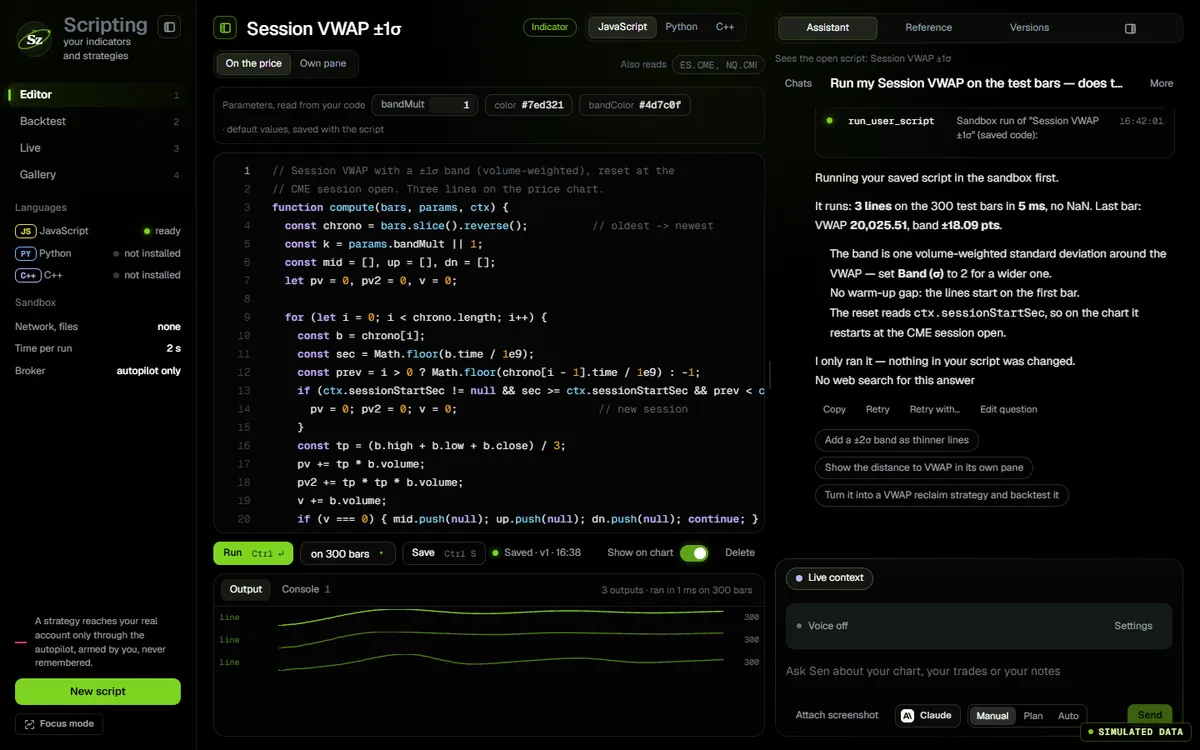
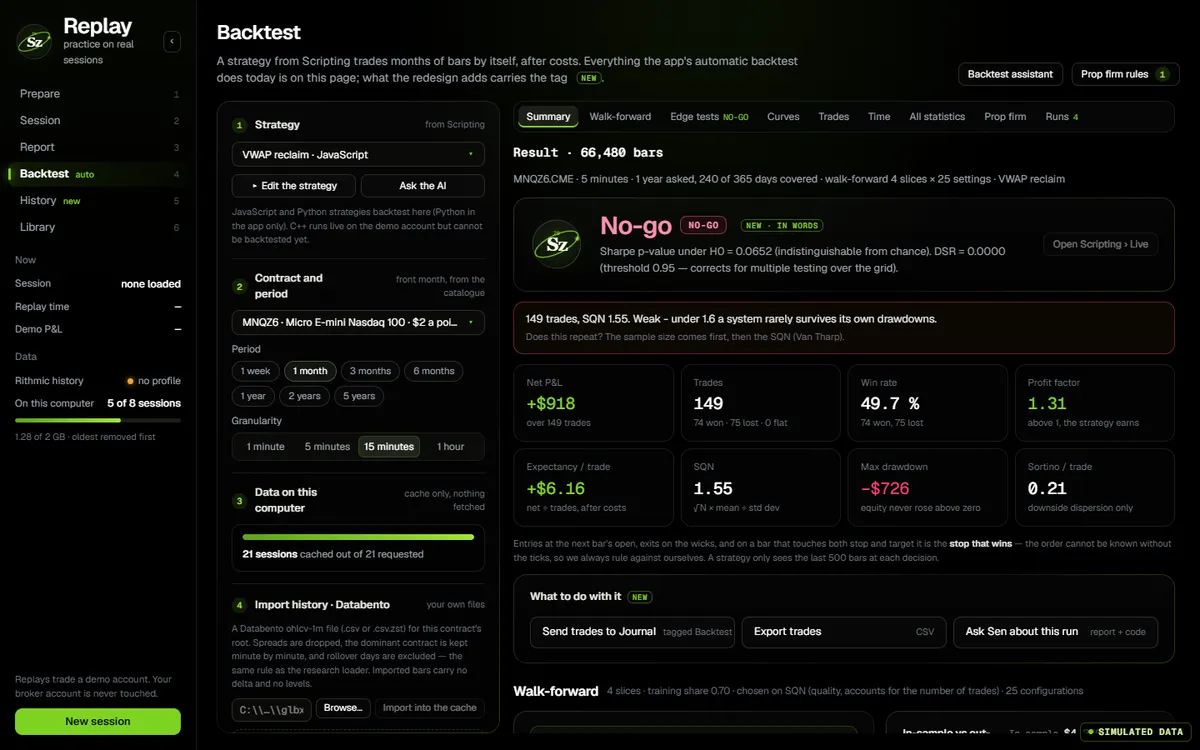
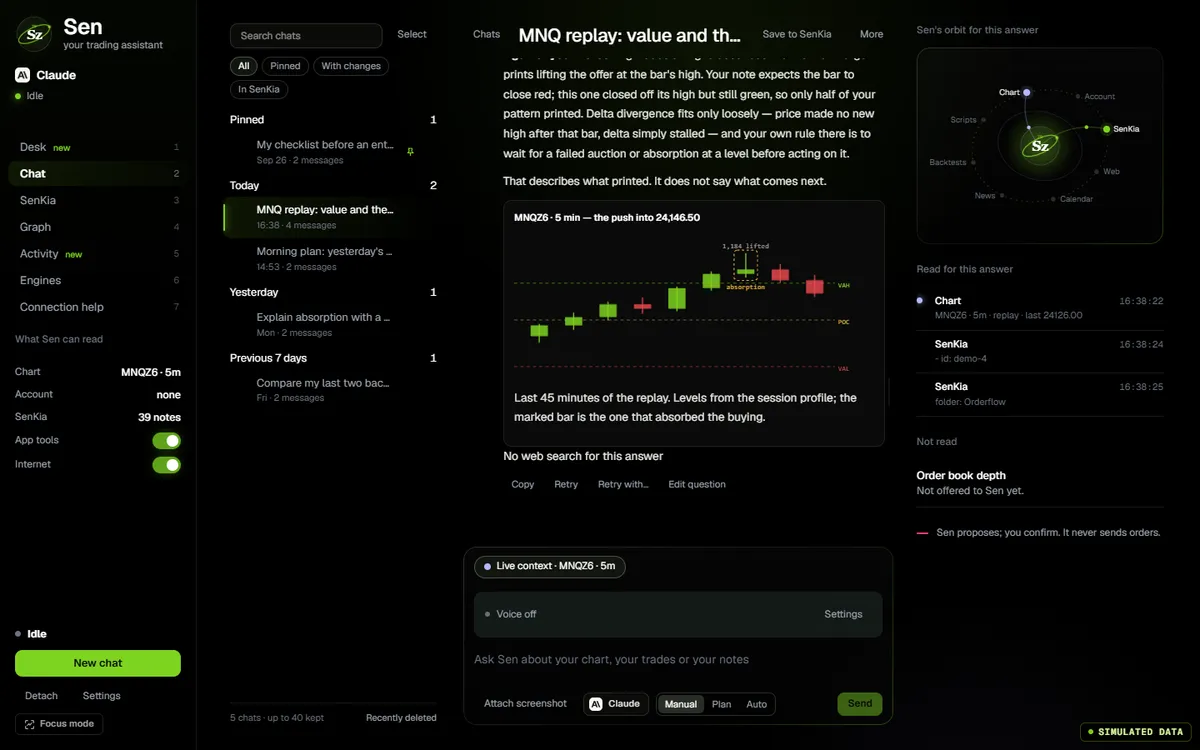
The app’s own code, compiled for the web and fed by a simulator. In the app, the same screen runs on your feed.
- 0.80Scripts written by Sen are checked in the sandbox first
- 0.80Collapsible panels in the scripting layout
- 0.80The language you ask for is respected, C++ included
Open the editor
v0.88.1 of the app, with a sample indicator.
The app’s scripting editor, v0.88.1, with a sample indicator, its preview and the console. Click the screen to use it; move the pointer away and the page scrolls again.
Write
Your logic, on order-flow inputs.
- JavaScript, Python or C++Python on a bundled interpreter, C++17 compiled by Clang to WebAssembly. No install, no venv.
- Footprint as inputBid and ask per price level, delta and imbalances, beyond OHLC.
- Six templatesEMA ribbon, session CVD, imbalances, range levels, volatility, breakout.
Run safely
A sandbox with a budget.
- A real sandboxNo network, no files, no app API.
- Two seconds per runBeyond that the sandbox is stopped and restarted. A script on a chart receives at most 600 bars.
- C++ limitsWebAssembly, the 256 most recent bars per call, 64 KiB of source.
Sen writes it
And the sandbox checks it first.
- Checked before created0.80A script written by Sen runs in the real sandbox until it passes, then it is created. Failure rate 95 % → 5.6 %, on our bench.
- No duplicatesA name already taken updates that script instead of creating a copy.
- ScreenshotsPaste one, or ask for a change; the answer is a block you can apply.
Use it
From the chart to the account.
- IndicatorsPlotted on the footprint, futures and crypto.
- StrategiesDecide on bar close; drive the simulated account and Replay; backtest JavaScript and Python historically.
How to use it
From a hypothesis to a test.
Works with
One app; every screen reads the same state.
- BacktestYour JavaScript or Python strategy on recorded data.
- Replaynew pageYour strategy on the simulated account, live orders off.
- Sen, the AI agentWrites the script and checks it in the sandbox.
- Trading & accountsManual orders on your account.
Questions
The same list feeds the page and its structured data.
Does the editor on this page really run my code?
Yes. It is the same editor and the same sandbox worker as the desktop app, running in your browser. Press Run and the script executes on a synthetic bar series; the output preview and the console update from the real result. Nothing is sent anywhere.
JavaScript, Python or C++?
All three. JavaScript is the default and runs instantly. Python runs on a bundled interpreter downloaded once (about 16 MB), so a script can use the standard library without installing anything. C++17 is compiled by a real Clang toolchain, downloaded once (about 60 MB), and executed as WebAssembly inside the same sandbox — the 256 most recent bars per call, 64 KiB of source, two seconds per run. Historical backtests run JavaScript and Python strategies; C++ runs as indicators and in replay.
What data does a script receive?
The bars of the chart it is attached to — at most 600 — newest first, with open, high, low, close, volume, and the footprint per bar: bid and ask volume at every price level, delta, imbalances. That is the difference with a candle-only scripting language.
Can a script place real orders?
Not by itself. A strategy decides on bar close and trades the simulated account; automation is paused on real accounts. The sandbox has no network, no file access and no access to the app API, and every run is stopped after two seconds.
How do I test a strategy?
In Replay: pick a contract, a period, and the strategy; the auto-backtest runs it bar by bar on recorded data, with walk-forward validation across folds. The report is on the /backtest page.
It is in the one plan
No add-on, no tier.
$9for 14 days
then $20 the first month and $29 a month after · every tool included · cancel any time