Product
- FootprintBid × ask on every level, delta, imbalances
- HeatmapResting liquidity through time, with memory
- CryptoBinance spot & perp, Bybit — same tools
- TradingDOM, OCO orders, account picker
- Live chartsThe book in real time, on your own feed
- GEXDealer gamma, call and put walls
- VolatilityImplied volatility smile and skew
- Options flowPrints with the aggressor side when published
Learn
- Read a footprintThe starting point
- Order flowWhat the tape actually says
- Understand GEXGamma, walls, zero-gamma flip
- Options flowPremium, volume and classification
- Quant for beginnersFrom a hypothesis to an experiment
- All guidesSearch, paths, glossary, docs
One desktop app.
Twelve tools reading the same market.
Footprint, heatmap, DOM and orders. Options positioning and flow. Replay, backtest and code. An AI agent you can talk to, a news terminal built on official sources, a journal and notes. One engine on your machine, your own data feeds.
- Tools
- 12on three orbits
- Engine
- LocalRust core, your feeds
- Plan
- One$9 first month
Windows · macOS and Linux in beta · market data billed by your provider
The same three orbits as the home screen of the app: read and trade at the centre, options, replay and code around it, news and organisation outside.
Markets
What the app reads. Routing is separate, see row 06.
- FuturesCME, CBOT, NYMEX and COMEX contracts such as ES, NQ, RTY, YM, CL, GC and ZB, through Rithmic, Databento CME or a platform bridge.
- CryptoBinance Spot, Binance USD-M Perpetual and the Bybit order book, with the same footprint and heatmap. Analysis only.
- OptionsUS index and equity chains from the source you configure, NQ and MNQ options from the CME through Rithmic, BTC and ETH options from Deribit for personal use.
Read & trade
The centre of the app: what traded, what waits, and your click.
 App code · simulated
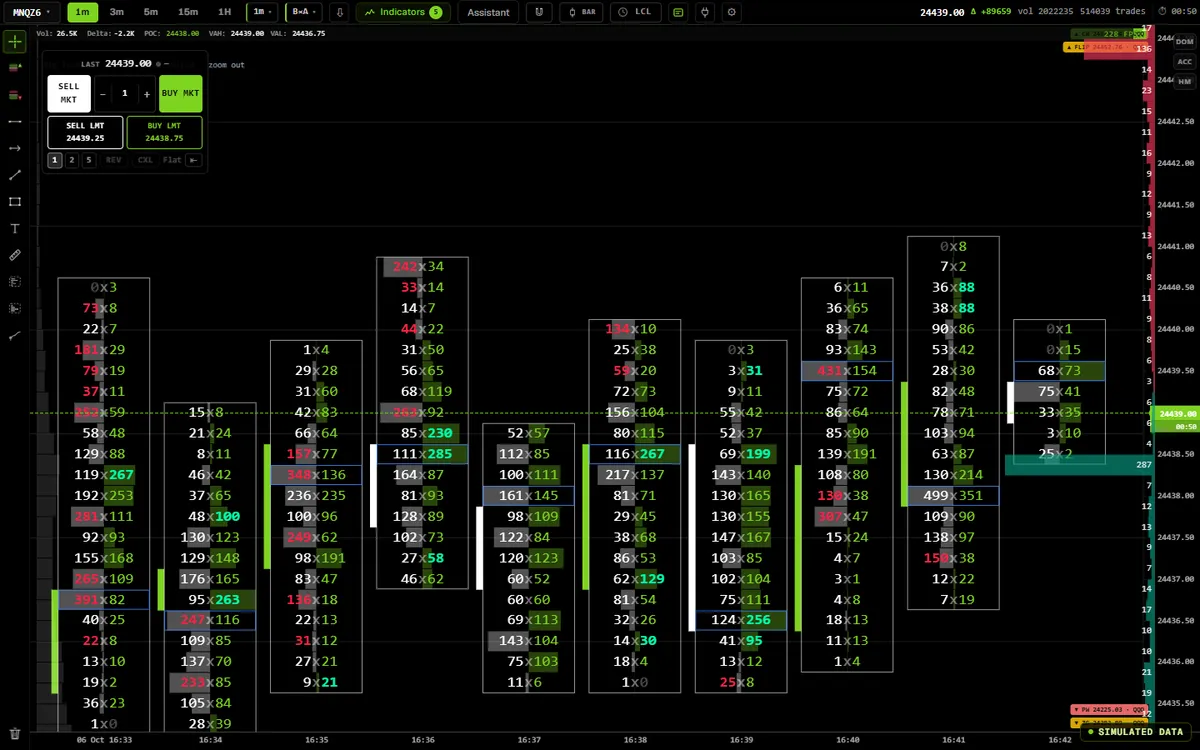
Footprint
0.81 · GEX levelsBid × ask at every price, delta, imbalances and absorption.
- Five bar types, anchored on the session
- VWAP, profiles, TPO, Big Trades, GEX levels
- Tick to pixel 40–45 ms median, on our bench
 App code · simulated
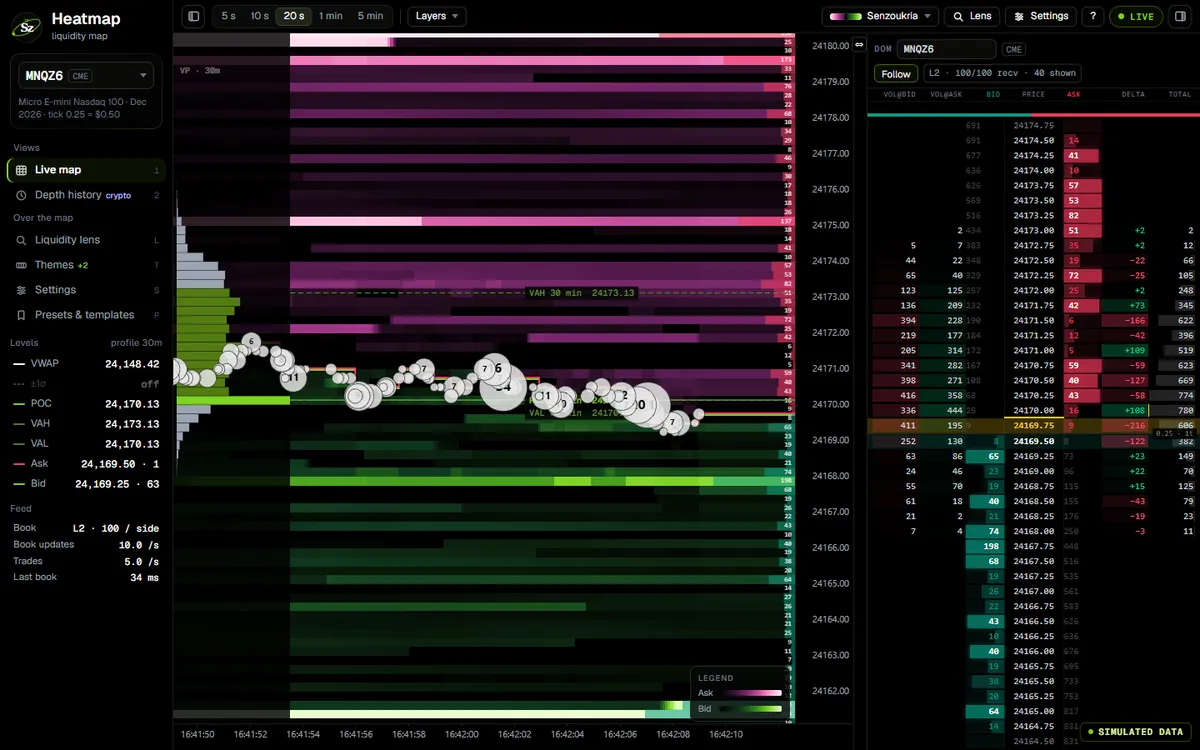
Heatmap
v3The book through time, the DOM beside it, and a Liquidity lens on every level.
- 5 s to 5 min at full resolution
- Taken ◆ or pulled ◇ (estimated)
- Depth history for crypto, 24 h – 7 d
 App code · simulated
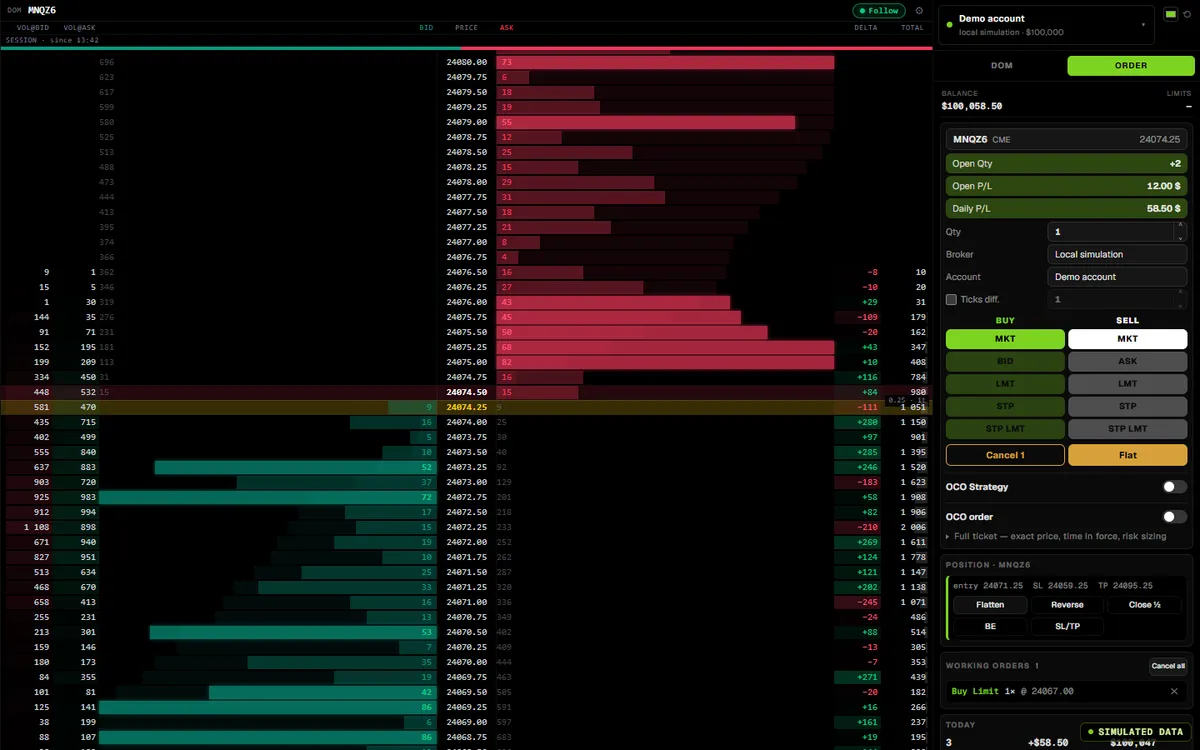
Trading & accounts
0.80DOM, order lines, OCO and Flatten on a compatible Rithmic account.
- Entries refused if sent more than 1.5 s after your click
- Account picker for several evaluations
- Daily loss, hours and size enforced in the core
 App code · simulated
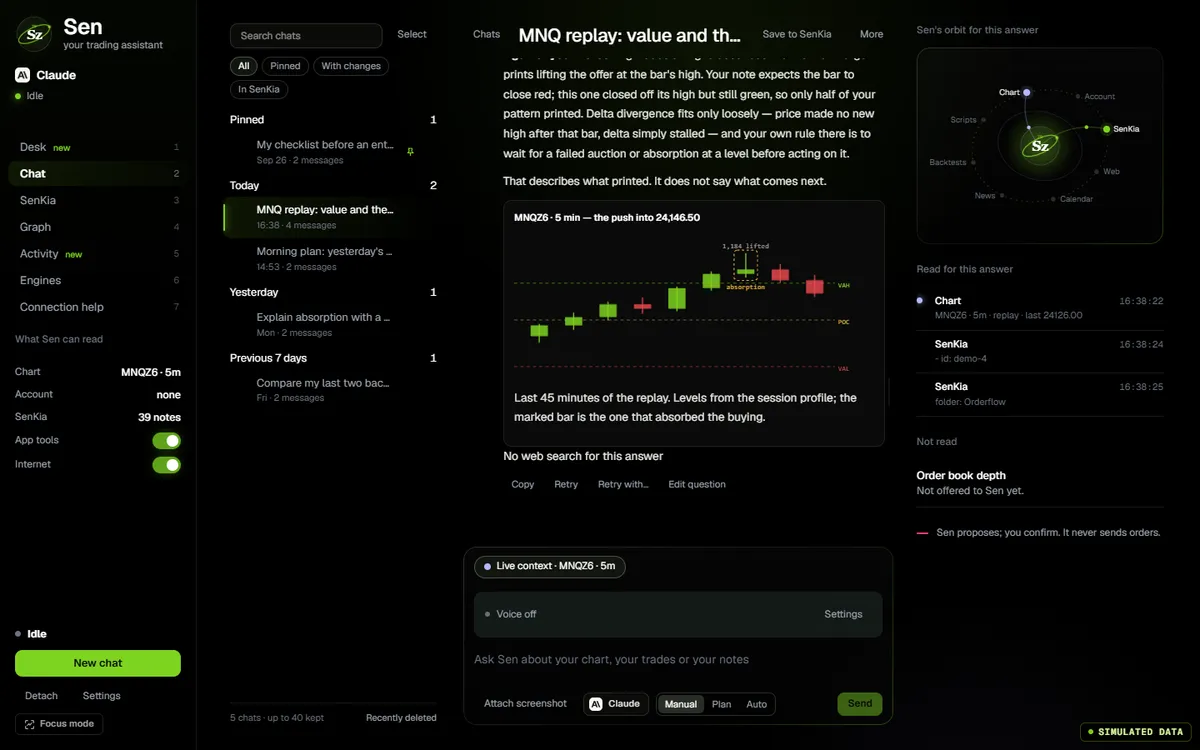
Sen, the AI agent
0.81 · voiceReads the app through read-only tools, cites what it read, writes and checks scripts, and talks.
- Mistral by default, Claude, Groq or local
- Sources written by the app, not the model
- Cannot place orders or arm the autopilot
Options, replay, code
Positioning around the tape, a recorded day to rehearse on, and your own logic.
 App code · simulated
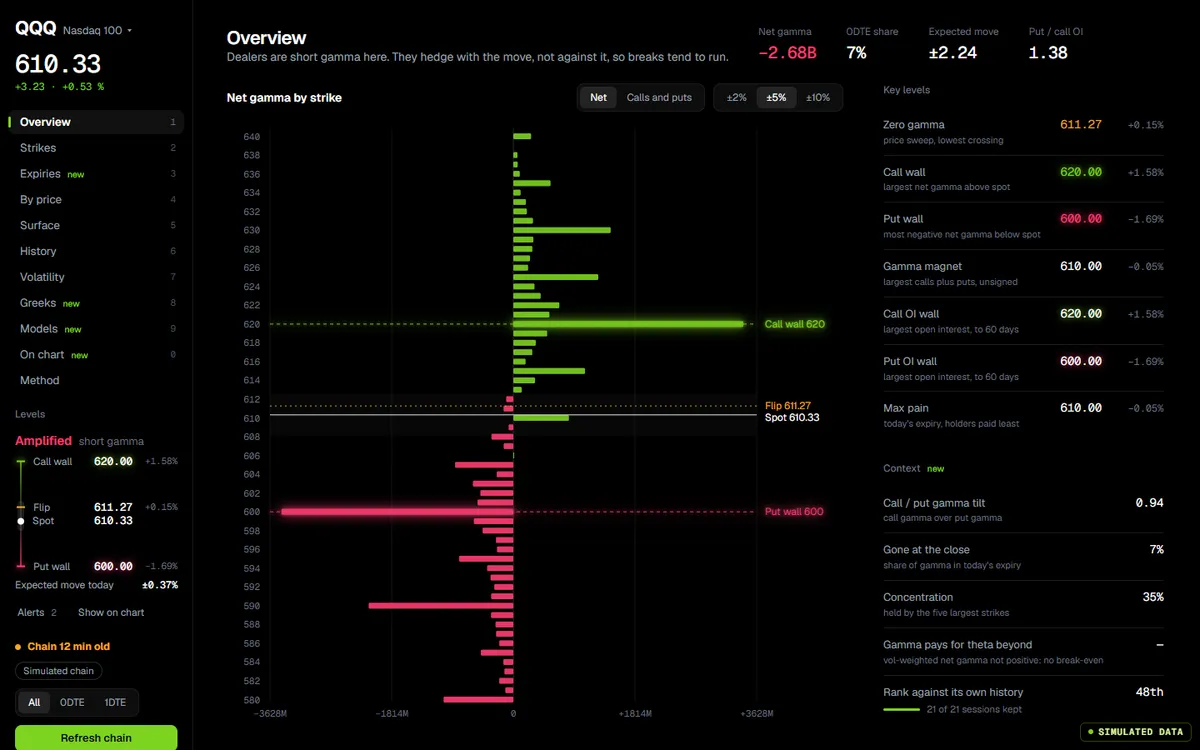
GEX & volatility
0.81 · ThetaDataDealer gamma by strike, walls, flip, surface and smile, on the chain you load.
- ThetaData, Tradier, Alpaca, Databento, CME through Rithmic
- BTC and ETH from Deribit, personal use
- Levels carried onto your futures chart
 App code · simulated
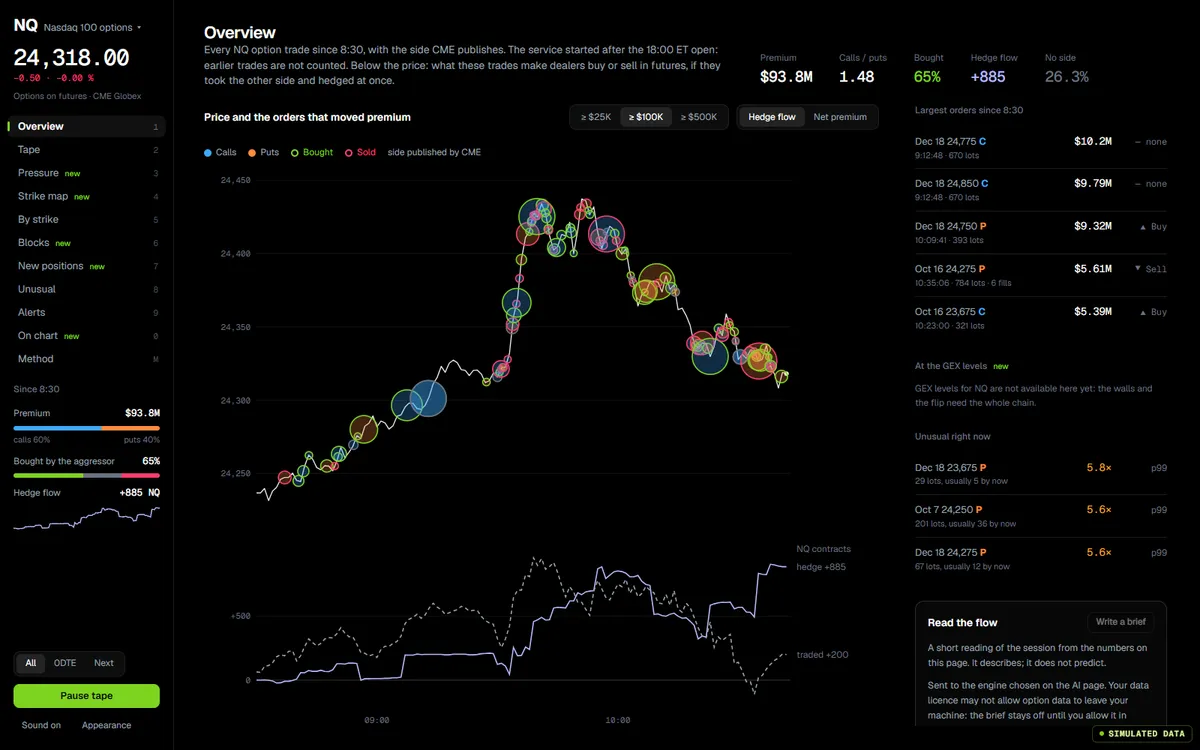
Option flow
redoneThe options tape, with the aggressor side published, inferred or absent, never mixed.
- NQ options from the CME through Rithmic
- Tape, pressure, strike map, blocks, alerts
- The most recent 500 prints, not the session
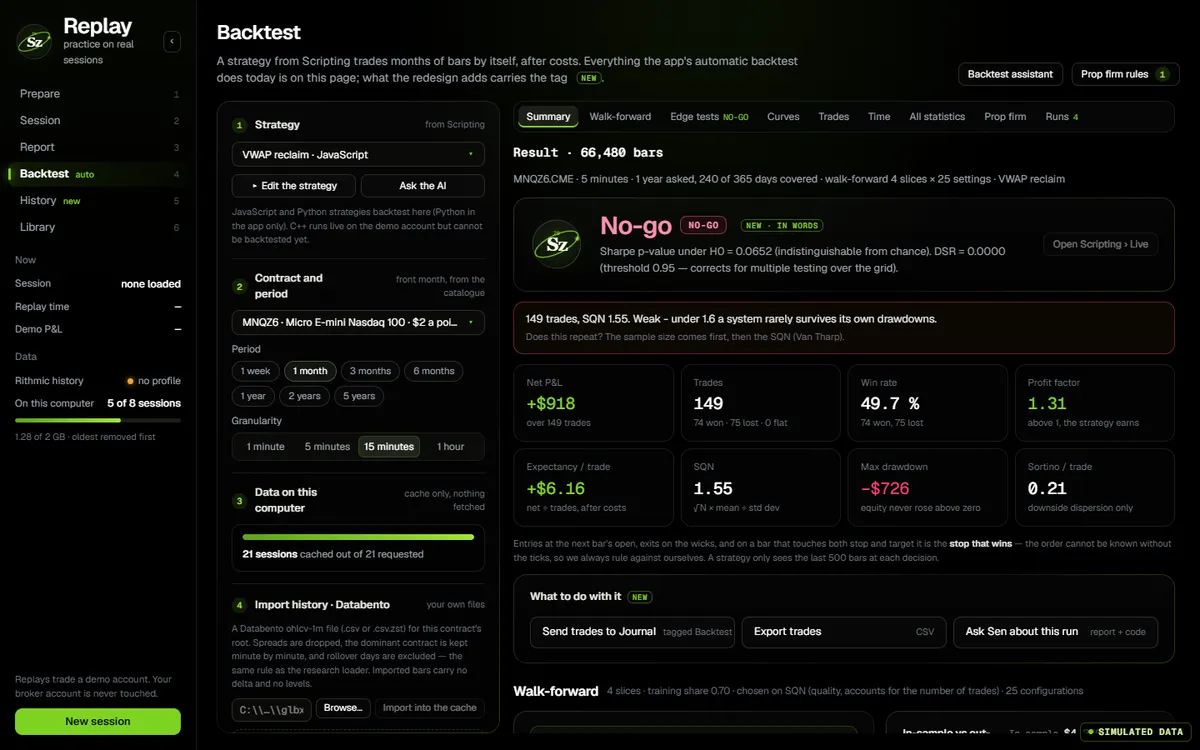 Auto backtest, inside Replay
Replay & backtest
new pageReplay a recorded day on the live chart, then test a strategy bar by bar after costs.
- ×1 to ×25, blind random session, 0 to 7 sessions of context
- Full best bid and ask from MBP-1 files
- Walk-forward, PSR / DSR / PBO, challenge simulation
 App code · simulated
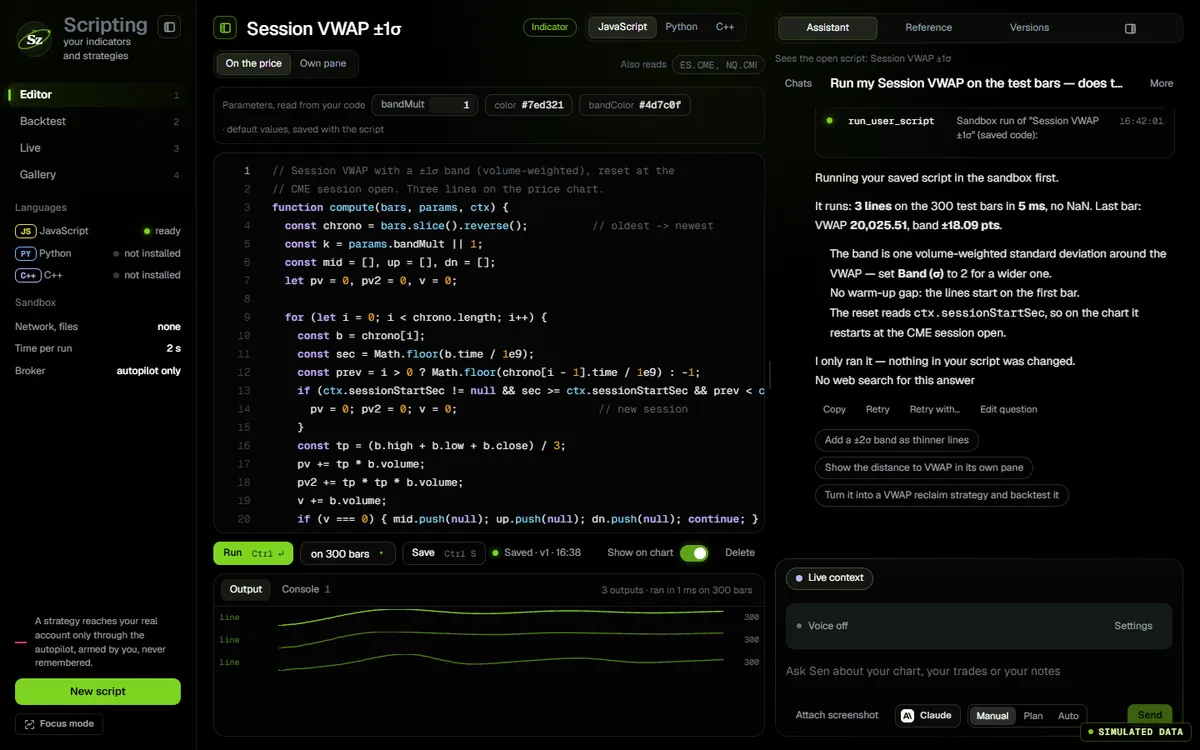
Scripting
0.80Indicators and strategies in JavaScript, Python or C++, in a sandbox.
- The footprint of each bar as input
- Sen writes the script and checks it first
- Historical backtest: JavaScript and Python
Informed & organised
What moves the market, what you did, and how your screens are laid out.
 App code · simulated
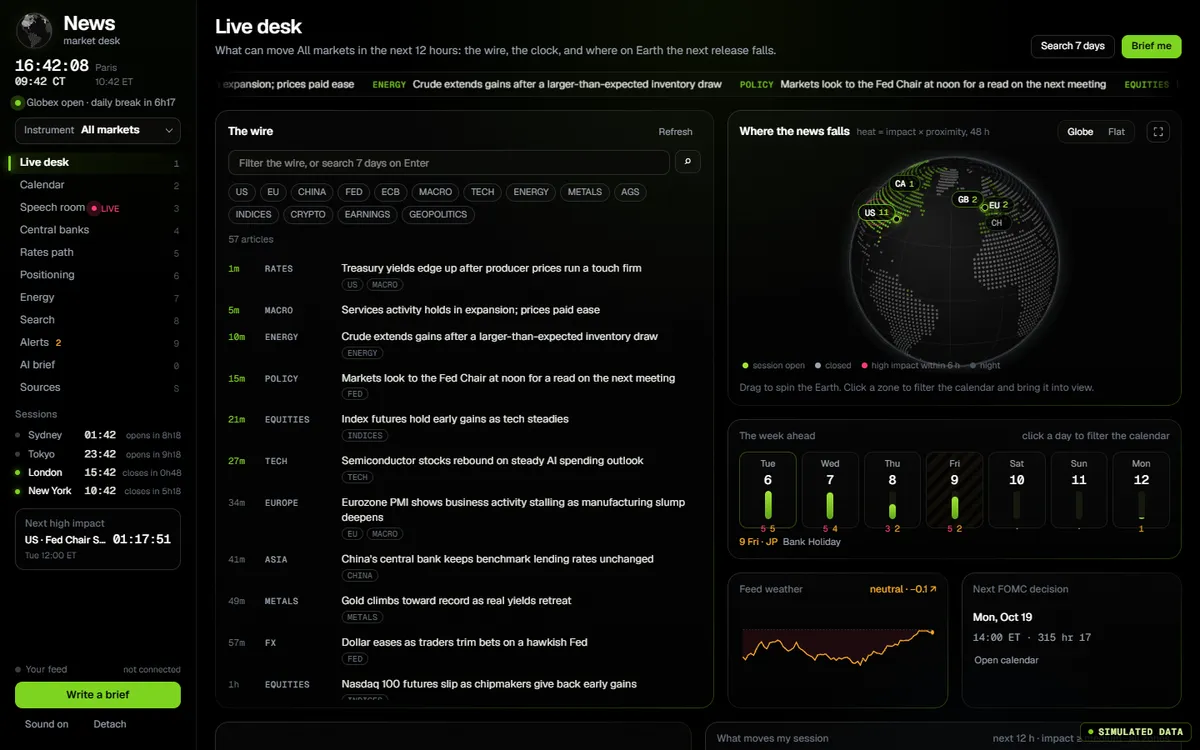
News terminal
redoneOfficial figures as they are published, central banks, rates path, positioning, a speech room.
- BLS, BEA, Census, DOL, Fed, Treasury, EIA
- Rates path, COT, FOMC statement diff
- Surprise read from the market, not a forecast
 App code · simulated
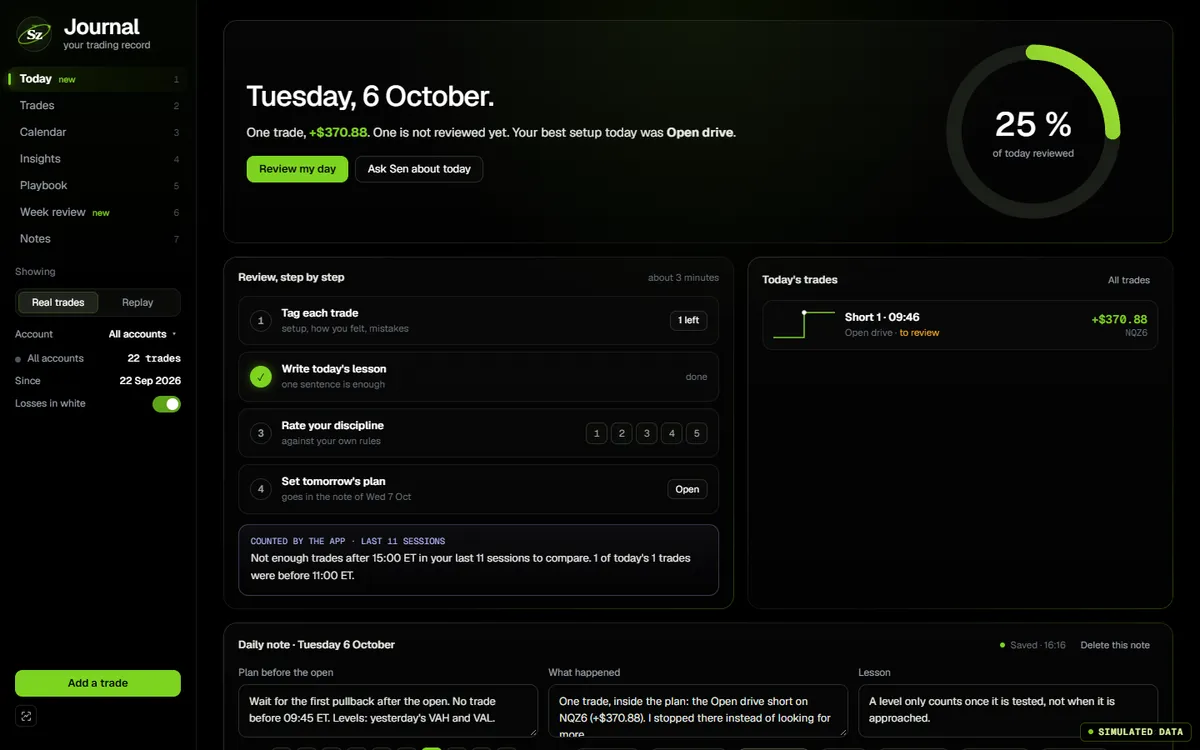
Journal & notes
redoneTrades from your connected account, the full statistics, and notes that link to each other.
- Calendar, insights, playbook, week review
- Notes with [[links]], tags and a live graph
- Private notes are never read by Sen
My pages
workspaceAny screens side by side in tiles; each tile shows its whole page, scaled.
- Footprint, heatmap, GEX, news in one view
- Detached windows on other monitors
- One feed shared by every tile
Account
0.80Connections, accounts, positions and P&L, and the rules that guard them.
- Orders follow the connection you connected
- Account choice remembered per connection
- Copy trading: groups only, copying not available yet
How it fits together
From your feed to your click, on your machine.
- Your sourcesRithmicDatabento CMENinjaTrader · Quantower bridgeBinanceBybitThetaDataTradierAlpacaDeribit · personal useBLS · BEA · Fed · ECB · EIA · CFTCGDELT
- One local engineRust core: footprint bars tick by tick, order book and heatmap, GEX and Greeks, recorded history, an order lane and order rules (daily loss, hours, size).
- Twelve screensIn tabs, tiles or detached windows, all reading the same state.
- Every pageFootprint chartsLiquidity heatmapTrading and accountsCrypto order flowGEX dashboardVolatilityOptions flowReplayBacktestScriptingSen, the AI agentNews terminalTrading journal
- What leaves your machineOrders, to Rithmic only, after your click or a strategy autopilot you armed. AI requests, to the engine you chose, with what you sent. Voice is transcribed on your PC (Windows); read-aloud uses Microsoft’s online voice, with your consent.
Between screens. GEX levels land on the footprint. A Liquidity lens reading goes to your daily note. Sen writes a script, the sandbox checks it, it plots on the chart. Replay runs the live chart on a recorded day with live orders disabled. A backtest verdict goes to the journal in one click.
Data, history, orders
What each source can do, and what it cannot.
| Source | Charts | Order book | History | Options | Orders |
|---|---|---|---|---|---|
| RithmicBroker or prop-firm login | Yes | Yes≈10–20 levels per side without MBO | Yes | NQ · MNQCME options, aggressor side published | YesCompatible accounts, firm rules apply |
| Databento CMEYour key | YesTrades in Standard | Plus planMBP-10 live is not in Standard | YesDBN folder import | YesBilled per use, never chosen for you | No |
| NinjaTrader · QuantowerBridge | YesFootprint from your platform’s ticks | No | No | No | No |
| BinanceSpot · USD-M Perp | Yes | Yes | YesRebuilt trade by trade | No | NoAnalysis only |
| BybitOrder book | No | YesDepth history 24 h – 7 d | Yes | No | NoAnalysis only |
| ThetaDataYour key, Options Value or above | No | No | No | YesTerminal started for you on Windows; you download ThetaTerminal.jar yourself | No |
| Tradier · Alpaca · Market DataYour key | No | No | No | YesAlpaca: delayed without OPRA | No |
| DeribitPublic API, no key | No | No | No | BTC · ETHPersonal use only, read by your machine, never relayed | No |
The news terminal reads free public sources (US agencies, central banks, CFTC, EIA, GDELT) and the Forex Factory calendar on your machine; no third-party figure is republished on this site. Data and exchange fees are billed by your provider.
My pages
The workspace: your screens, side by side.
- Whole pages in tilesEach tile shows its page scaled to fit, never a cropped corner.
- Detached windowsFor a second or third monitor.
- One feed per marketShared by every chart and tile that shows it.
- Background pagesPages keep running when you want them to.
Recently shipped
The software moves fast. This page follows it.
- 0.81 7 Oct 2026Jarvis: talk to Sen by click, push-to-talk or hands-free, with local speech recognition on Windows. ThetaData terminal started and stopped by the app. Big Trades Spot & Perp tuned by density per pair. GEX levels on the chart from every source.
- 0.80 5 Oct 2026Account picker for several evaluations on one login. Order lane, 1.5 s stale-entry guard, OCO in the chart dock. Sources written by the app and academic search. Eleven screens redone, Heatmap v3.
- 0.46 25 Sep 2026Heatmap DOM with the footprint DOM’s rendering. Display windows from 5 s to 5 min. GEX and Option Flow open with a Tradier key.
What it does not do
Said before you pay.
- No crypto order routingCrypto screens are for analysis. Orders go through Rithmic only.
- No copy trading yetYou can prepare groups in Account; no order is copied to another account.
- The AI does not tradeSen and Jarvis cannot place orders, touch accounts or connections, or arm the autopilot.
- No C++ historical backtestC++ runs as indicators and in Replay; historical backtests run JavaScript and Python.
- No consensus forecastThe calendar shows the official figure; surprise is read from the market, not from a forecast.
- Nothing runs in the cloudAn armed strategy runs while the app is open and connected, after you arm it, every time.
Questions
The same list feeds the page and its structured data.
What is Senzoukria?
A desktop order-flow app for futures traders: footprint, liquidity heatmap, DOM and orders; GEX, volatility and option flow; replay, backtest and scripting; an AI agent you can talk to, a news terminal built on official sources, a journal and notes. One engine runs on your machine and reads your own data feeds.
Which data feeds does it use?
Yours: Rithmic, Databento CME, a NinjaTrader or Quantower bridge for futures; Binance and Bybit public streams for crypto; ThetaData, Tradier, Alpaca, Market Data, Databento, CME options through Rithmic or Deribit (personal use) for options. Data and exchange fees are billed by your provider, separately.
Can it place orders?
Yes, on a compatible Rithmic account: manual orders, protective orders and OCO, and an optional strategy autopilot that sends orders only after explicit arming. Crypto screens are analysis only, and the AI cannot place orders.
Which systems does it run on?
Windows. macOS and Linux builds are in beta. Local speech recognition for Jarvis and the managed ThetaData terminal are Windows only.
What does it cost?
One plan with every tool: $9 for an eligible first month, then $29 a month. Cancel in one click; data fees stay with your provider.
One plan
Every tool on this page is in it.
$9first month
then $29 a month · data fees stay with your provider · cancel any time